How to Write a Resume in 2026: Complete Guide
ATS resume format is becoming more important every year. When you apply for a job online, your resume goes to a computer program first. This program reads your resume and decides if it is good enough for a human to read. Most large companies use ATS systems. If your resume does not work with ATS, you will never get an interview. This complete guide will teach you everything you need to know about creating an ATS-friendly resume in 2026.
Key Takeaways:
- Use Simple Fonts: Stick to Arial, Calibri, or Times New Roman. Avoid fancy fonts and images that ATS cannot read.
- Keep the Layout Simple: Use basic text formatting only. Don't use columns, text boxes, tables, or complex designs.
- Include the Right Keywords: Use words from the job description in your resume to match what ATS is looking for.
- Use Standard Section Headings: Write "Experience," "Education," "Skills" clearly so the ATS can find them easily.
What is ATS and Why It Matters
ATS is a computer program that reads and scores resumes. When you apply for a job online, your resume goes to the ATS first. The computer reads your resume and gives it a score based on keywords and formatting. If your resume scores high enough, a human will read it. If not, your resume gets rejected automatically. Think of ATS as a gatekeeper. You must pass the ATS first to reach the hiring manager. This is why learning ATS resume format is so important.
Why Companies Use ATS
Large companies get thousands of applications for one job. They need a fast way to find the best matches. ATS helps them save time and money. Without ATS, hiring managers would spend weeks just reading resumes. ATS does the work in seconds. The problem is that many resumes fail the ATS because they are not formatted correctly. Fancy designs, unusual fonts, and poor structure confuse the ATS. Your beautiful resume might never be read by a human.
- Companies receive 1,000+ applications per job opening on average
- 99% of large companies use ATS systems to screen resumes
- ATS rejects poorly formatted resumes in seconds
- Your resume must pass ATS before a human reads it
- ATS looks for specific keywords and qualifications
Contact Information - How to Format It Correctly
Your contact information is the first thing on your resume. The ATS must be able to read it clearly. Recruiters also need this information to contact you. Make sure your contact information is correct, professional, and easy to find.
What to Include in Your Contact Section
The ATS needs to extract basic contact details from your resume. Include your full name, phone number with country code, professional email, LinkedIn URL, and location. Do not include a photo, date of birth, home address, or personal information. Keep the contact section clean and simple with one piece of information per line.
| Include | Format Example | Avoid |
|---|---|---|
| Full Name | Rajesh Kumar Singh | Single or partial names |
| Phone with Country Code | +91-9876543210 | Numbers without country code |
| Professional Email | info@eliteresumes.co | Unprofessional emails |
| LinkedIn URL | linkedin.com/in/rajesh-kumar | Social media profiles |
| City and Country | Bangalore, India | Full home address |
Example Contact Section
Here is how to format your contact information for ATS:
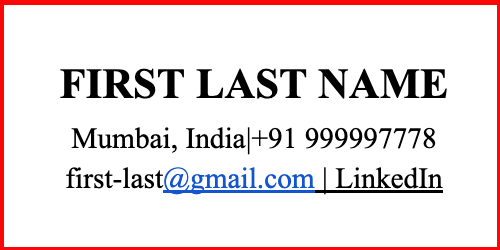
Rajesh Kumar Singh
+91-9876543210 | info@eliteresumes.co
linkedin.com/in/rajesh-kumar-singh
Bangalore, India
Why This Format Works for ATS
- Clear structure with one piece of information per line
- Phone number has country code for international companies
- Professional email that is easy to read
- LinkedIn URL helps ATS match your online profile
- Location shows where you are based
Professional Experience Section - Best Practices
Your experience section is the most important part of your resume. This is where you show what you have done in your career. The ATS will look for keywords here. The way you write your experience affects your ATS score. Use action verbs, include numbers, and match keywords from the job description.
How to Structure Each Job Entry
-
Job Title First:
Write your exact job title first. This is the most important part. Examples: Senior Software Engineer, Marketing Manager, Sales Executive. Put this before the company name so ATS finds it first.
-
Company Name and Location:
Write the company name clearly. Add the city and country. Example: Infosys Limited | Bangalore, India. This helps recruiters know your location and experience.
-
Dates of Employment:
Write the start and end dates. Format: Month Year - Month Year. Example: January 2020 - December 2023. If you are still working there, write: January 2020 - Present. Dates help ATS understand how long you worked at each job.
-
Job Description - 2 to 5 Bullet Points:
Write what you did in this job using bullet points. Use action verbs like Managed, Developed, Created, Led, Implemented. Include numbers and results. Keep each point short and clear. This is where ATS looks for keywords.
Action Verbs to Use in Your Resume
Action verbs make your experience sound strong and impressive. They also help with ATS keyword matching. Use these verbs at the start of each bullet point: Achieved, Analyzed, Built, Created, Designed, Developed, Directed, Executed, Expanded, Generated, Implemented, Improved, Increased, Led, Managed, Optimized, Organized, Planned, Produced, Reduced, Resolved, Streamlined, Supervised, Trained.
Example Experience Entries
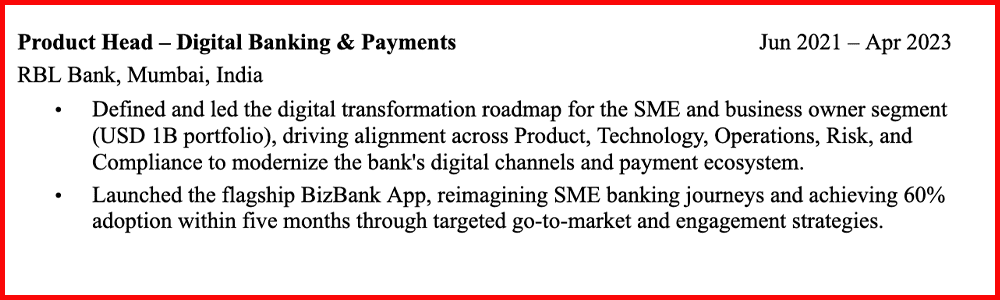
Senior Software Engineer
Infosys Limited | Bangalore, India
January 2020 - Present
- Developed and maintained 5+ Java web applications using Spring Framework
- Led a team of 3 junior developers and conducted code reviews
- Reduced application loading time by 40% through optimization
- Managed database migrations affecting 100,000+ users
- Collaborated with product team to implement 15 new features
Tips for ATS Resume Experience Section
- Use real job titles from the job posting
- Include numbers and percentages (ATS loves these)
- Don't use abbreviations that ATS might not understand
- Write in past tense for previous jobs
- Use present tense for your current job
- Keep descriptions short and clear
- Put your most recent job first
ATS Keywords - How to Use Them
ATS software searches for keywords in your resume. These keywords help the computer match your resume to the job. If your resume has the right keywords, you will get a higher score. Keywords come from the job description. When a company posts a job, they list the skills and qualifications they want. These words in the job description are the keywords you need to use.
How to Find Keywords from a Job Description
-
Read the Job Description:
Open the job posting and read it carefully. Look for skills they need. Look for tools they use. Look for experience they want. Write these words down.
-
Mark Important Words:
Circle or underline words that repeat. Note technical skills like Java, Python, or Salesforce. Note soft skills like Leadership or Communication. Note certifications like PMP or AWS.
-
Add These Words to Your Resume:
Put keywords in your experience section. Put keywords in your skills section. Use keywords naturally in your bullet points. Don't force keywords that don't match your experience.
Example: Before and After Using Keywords
❌ Before (No Keywords):
Senior Developer
Tech Company | 2018 - 2023
• Worked on various projects
• Led a small team
• Improved system performance✅ After (With Keywords):
Senior Software Developer
Tech Company | 2018 - 2023
• Developed 5 microservices using Java and Spring Boot
• Built REST APIs reducing response time by 35%
• Managed MySQL and MongoDB databases for 100,000+ records
• Led team of 3 developers using Agile/Scrum methodology
• Implemented Git version control for better code management
Common Keywords by Job Type
Different industries use different keywords. Here are common keywords for popular job types:
- For IT/Tech Jobs: Java, Python, JavaScript, SQL, AWS, Azure, Google Cloud, Docker, Kubernetes, DevOps, Linux, REST APIs, Microservices, Agile, Scrum
- For Marketing Jobs: Digital Marketing, SEO, SEM, Content Marketing, Social Media, Google Analytics, Email Marketing, CRM, Salesforce, Lead Generation, Campaign Management
- For Sales Jobs: B2B Sales, B2C Sales, Sales Pipeline, CRM, Salesforce, Account Management, Lead Generation, Customer Relationship, Revenue Growth
- For HR Jobs: Recruitment, HRIS, Employee Relations, Payroll, Compensation, Benefits, Performance Management, Training, Talent Development
- Soft Skills Keywords: Leadership, Communication, Problem-solving, Teamwork, Project Management, Analytical, Time Management, Decision-making
"The biggest mistake job seekers make is not matching keywords from the job description. ATS systems specifically look for exact words and phrases. If the job description says 'Agile methodology' and your resume says 'fast-paced environment,' ATS won't find a match. Always use the exact words from the job posting."
Tips for Using Keywords Correctly
- Use exact words from the job description
- Don't overuse keywords (keep it natural and authentic)
- Put keywords in experience and skills sections
- Use keywords you actually have experience with
- Match keywords to the specific job
- Customize your resume for each job application
- Keywords should be relevant to your career
- Update keywords for each industry or job level
Frequently Asked Questions
What is ATS resume format?
ATS resume format is a way to organize your resume so that computer systems can read it easily. ATS stands for Applicant Tracking System. Companies use this software to filter resumes before a human reads them. If your resume is not ATS-friendly, it may never reach the hiring manager. An ATS-friendly resume has simple formatting, standard fonts, clear section headings, and relevant keywords.
How much does professional resume writing cost?
Professional resume writing at Elite Resumes costs between ₹699 to ₹10,000 depending on your experience level and industry. Entry-level resumes cost less (₹699-₹2,000). Mid-career resumes cost more (₹3,000-₹5,000). Executive and specialized resumes cost the most (₹7,000-₹10,000). We offer different packages to fit your budget and needs. All packages include ATS optimization.
How long does it take to write a professional resume?
A professional resume usually takes 3-5 business days to write. Our team will collect your information, research your industry, write your resume, and make revisions. The timeline depends on how quickly you respond to our questions and provide information. If you need it faster, we offer rush services in 24-48 hours for an additional fee.
Who needs an ATS-friendly resume?
Anyone applying for jobs at medium to large companies needs an ATS-friendly resume. Companies with more than 50 employees almost always use ATS. Startups and very small companies may not use ATS. It is smart to make your resume ATS-friendly for all job applications because you never know which companies use ATS systems.
What fonts should I use in my ATS resume?
Use simple, common fonts that ATS can read easily. Best fonts are Arial, Calibri, Times New Roman, Helvetica, Courier New, and Verdana. Avoid fancy fonts like Comic Sans, Brush Script, or Garamond. Font size should be 10-12 points for easy reading. Use the same font throughout your resume for consistency.
Can I use images and logos in my resume?
No, you should not use images, logos, or graphics in an ATS resume. ATS software cannot read images. It can only read text. If you include images, the ATS will skip them or reject your resume. Keep your resume text-only for best results. You can use images on your LinkedIn profile instead.
Should I use columns in my resume?
No, avoid columns in your resume. ATS reads resumes from left to right, top to bottom. If you use columns, the ATS will read the text in the wrong order and confuse the results. Keep a simple, single-column format. This also makes your resume easier for humans to read.
Should I customize my resume for each job?
Yes, absolutely. You should customize your resume for each job application. Read the job description and add relevant keywords. Change the order of your experiences if needed. Highlight the skills they want. Customized resumes increase your chances of passing ATS and getting interviews by up to 40%.
Ready to Transform Your Career?
Get professional resume writing services from Elite Resumes - Trusted by 10,000+ professionals
Get Started Today
Elite Resumes Team
Professional resume writers with 24+ certified experts specializing in ATS optimization and career development for GCC, Indian, and European job markets. We have helped over 10,000 professionals get interviews with perfectly formatted ATS-friendly resumes.